Introduction
Rotten Stream Bot is a lightweight Android utility that reads live comments aloud while you play or stream, helping creators stay focused on content instead of watching chat. Rotten Stream Bot captures real-time messages along with gift, share and follow events and speaks them through a movable on-screen bubble or an optional notification-bar mode. The app runs independently of streaming platforms, provides a low-friction setup, and is free with ads — designed to remain usable on older hardware without a subscription.
Key features
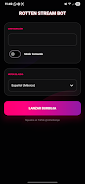
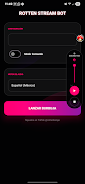
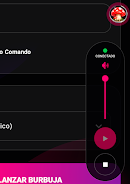
The live reader supports immediate vocalization of chat messages, gifts, shares and follows, with configurable filters so you only hear the events you care about. A floating, movable bubble overlay sits above apps and games and can be dragged, tapped to pause or resume speech, and long-pressed to access quick controls. If you prefer not to use overlays, a notification-bar mode delivers spoken updates and compact controls from the system tray.
Customizable commands let you define simple text triggers and corresponding spoken responses (for example, “!t hello”). You can create several command presets and switch between them before or during a session. Text-to-speech voice, language, pitch and rate are adjustable so the audible feed matches your channel style and audience language. The app is intentionally lightweight and optimized to work across the broad range of Android devices (designed for wide compatibility, including many older models).
How it works and controls
Rotten Stream Bot uses accessibility permissions and notification access to capture chat updates presented by other streaming apps; no official platform integration is required. Controls are straightforward: tap the bubble to pause speech, double-tap to repeat the last message, and drag to reposition. In notification mode, media-style play/pause and mute buttons let you manage the spoken stream without interrupting gameplay. Settings include quick toggle widgets and an optional keyboard shortcut if your device supports it.
Customization and progression
You can tailor the listening experience using profile presets that save combinations of voice, filters and command sets for different stream types (casual play, speedruns, or talk shows). These profiles act as a simple progression system for setup: start with a basic preset, then refine filters and commands as you learn what your audience does and doesn’t need. The app also offers adjustable verbosity levels so frequent chat can be summarized rather than read word-for-word, reducing cognitive load during intense gameplay moments.
User experience and accessibility
Rotten Stream Bot aims to be accessible: speech rate and volume controls accommodate different hearing and listening preferences, and voice choice supports multiple languages where the device’s TTS engines are available. Visual options let you change the bubble’s size, opacity, and color contrast to keep it visible without blocking important on-screen elements. For streamers who rely on screen readers or require larger text, the app exposes readable labels and simple navigation so it integrates with common accessibility workflows.
Performance, offline behavior and compatibility
The app is optimized to minimize CPU and battery use while active; it batches non-urgent events and keeps TTS processing efficient so you don’t see drops in game performance. While live reading requires access to notifications or the networked chat source, many configuration elements are available offline: you can edit commands, test voice settings, and prepare profiles without an active connection. Rotten Stream Bot is not an official integration with any streaming service, and compatibility depends on how a streaming app exposes notifications and accessibility events on your device.
Advantages
Rotten Stream Bot is free with ads and requires no monthly fee, offering a hands-free option for chat monitoring that suits solo creators and mobile streamers. Its minimal setup and profile presets help you get started quickly, and the overlay is designed to avoid obstructing gameplay or essential UI elements. The command system gives creators flexible ways to respond to common triggers without reaching for the keyboard.
Disadvantages and known limits
The app contains ads, which some users may find intrusive. Because it operates independently, it lacks official integrations with streaming platforms and may not capture every event exactly as an embedded SDK would. Although it targets broad device compatibility, there may be specific Android builds or manufacturer customizations where full functionality is limited. Check permissions and platform behavior if an app on your device restricts notification or accessibility access.
Practical tips for streamers
Start with a single profile and enable filters for common spam terms to learn how much speech you want during different session types. Use the notification mode on devices where overlays conflict with full-screen games, and keep a quiet preset for high-intensity gameplay. Regularly test voice and rate settings in offline mode so you can make rapid changes during live sessions without disrupting viewers.
File size: 6.90 M Latest Version: 21.1
Requirements: Android Language: English
Votes: 102 Package ID: com.rotten.streambot
Developer: RottenLabs
Screenshots
Explore More

Discover and download the latest system software of 2024 at high speed for free. Explore multidimensional rankings and references to help you choose the best system software. Rest assured, all software has undergone rigorous security checks and virus scans for your safety.




















Popular Apps





-
2
PS2X Emulator Ultimate PS2
-
3
Controls Android 14 Style
-
4
Slotomania
-
5
Jackpot Friends Slots Casino
-
6
Klompencapir Game Kuis Trivia
-
7
Know-it-all - A Guessing Game
-
8
A Growing Adventure: The Expanding Alchemist
-
9
Justice and Tribulation
-
10
Toothpick