Introduction
75HChord is a rhythm-puzzle app that invites players to translate harmony into a tactile matching challenge; in 75HChord you drag descending, color-coded note blocks into a four-cell "music river" that represents the root, third, fifth and seventh of each chord. The first moments of play make the core idea clear: align every colored sub-unit with its matching river cell, the falling block resolves and clears, and a short audio chord plays to confirm the match. Designed for short sessions but with depth for practice, 75HChord combines visual pattern solving with ear-training in a deliberately paced, level-based structure.
Gameplay mechanics
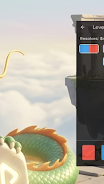
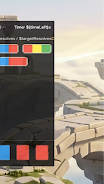
The central mechanic in 75HChord is simple to learn and rich to master. Blocks descend vertically and contain up to four distinct colored sub-units; each sub-unit must be positioned over the appropriate river cell so that, when the block locks in place, the chord can be heard. Timing matters: blocks move with the steady flow of the music river, and later levels introduce synchronized shifts that demand precise placement. The game uses a compact grid that emphasizes immediate visual recognition of interval relationships rather than full-score notation, making harmonic relationships intuitive without requiring formal music training.
Controls and interaction
Controls are touch-first: tap and hold a block to pick it up, drag horizontally to align sub-units and release to drop. Blocks snap to river cells to reduce frustration and provide predictable feedback. For players on devices with larger screens the layout scales so touch targets remain comfortable; the UI responds smoothly to single-finger dragging and release. Simple on-screen icons let you pause, retry a stage, or mute audio, keeping the interface unobtrusive so the puzzle and the sound are the focus.
Progression and level structure
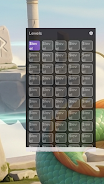
75HChord features 50 carefully designed levels that introduce new rules and obstacles gradually. Early stages establish the four-cell river and single-color blocks. From level 11 the "capo" mechanic periodically shifts the river's color sequence, which alters how you plan placements over time. At level 26 some blocks restrict movement to horizontal-only, forcing lateral thinking. From level 40 sustain-pedal cells require dual activation to resolve certain notes, adding layered timing constraints. Each level is short by design, with bite-sized puzzles that build a clear learning curve while keeping each stage replayable.
Visual style and audio feedback
The visual presentation emphasizes clarity: bold, distinct colors for each harmonic degree, clean shapes for note blocks, and subtle animations that signal successful resolution. Sound design supports learning rather than distraction: brief, harmonious chord snippets play on successful matches to reinforce the relationship between what you see and what you hear. Visual and audio feedback are coordinated so that resolving a block is both informative and satisfying without relying on exaggerated effects.
Accessibility and customization
75HChord includes options intended to make the experience approachable for different players. A color-adjustable palette and a colorblind-friendly theme reduce reliance on hue alone. Audio volume can be adjusted from the options menu and effects may be toggled if you prefer a quieter practice session. For players who want a gentler introduction, assistive timing options slow the pace of falling blocks, while a tighter-timing mode presents a stiffer challenge for experienced players. These settings are local to your device and designed to be unobtrusive.
Replay value and practice
Replayability comes from mastering each level’s timing patterns and mechanics. Because the game focuses on short, focused puzzles, it’s easy to repeat stages to improve accuracy and timing. The evolving mechanics—capos, movement restrictions, sustain cells—create new problem types that reward experimentation. Players who want to practice can return to earlier levels to refine recognition and ear training; there are no mandatory timers or harsh penalties, only the satisfaction of cleaner resolutions and better auditory recognition of chord shapes.
Performance, offline play and user experience
75HChord is designed to run smoothly on a wide range of Android devices and works offline after installation, so you can play without a network connection. The app’s UI prioritizes responsiveness and readability: controls sit within reach, menus are concise, and in-game prompts explain new mechanics as they appear. Small touches—like clear failure/retry flow and immediate audio confirmation on success—help the experience feel polished and approachable for casual and focused practice alike.
Challenge systems and learning curve
The game balances accessibility with escalating complexity: a gradual difficulty curve introduces new constraints so that later levels require strategic planning, tighter timing and multi-step coordination. These layered challenges support both short play sessions and longer practice runs, encouraging players to improve recognition, timing and basic harmonic awareness while enjoying a compact, well-paced puzzle experience.
File size: 10.64 M Latest Version: 1.1.0
Requirements: Android Language: English
Votes: 80 Package ID: com.chordflow.music.qwertyuiop
Developer: Amleshkr
Screenshots

Explore More
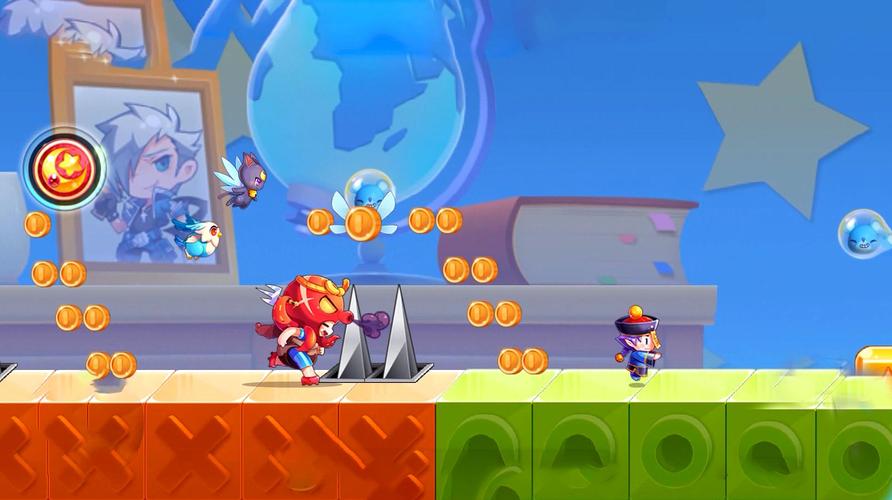
Small games that help pass the time have evolved into a plethora of cool and refreshing experiences that allow us to briefly immerse ourselves without getting addicted, providing us with plenty of enjoyment even if we can only play them for a short while sometimes.














Popular Games





-
2
PS2X Emulator Ultimate PS2
-
3
Controls Android 14 Style
-
4
Slotomania
-
5
Jackpot Friends Slots Casino
-
6
Klompencapir Game Kuis Trivia
-
7
Know-it-all - A Guessing Game
-
8
A Growing Adventure: The Expanding Alchemist
-
9
Justice and Tribulation
-
10
Toothpick